Overview
The reprostim library provides both a
command line interface (CLI) and a Python API to automate capture of audio-visual
stimuli into BIDS datasets.
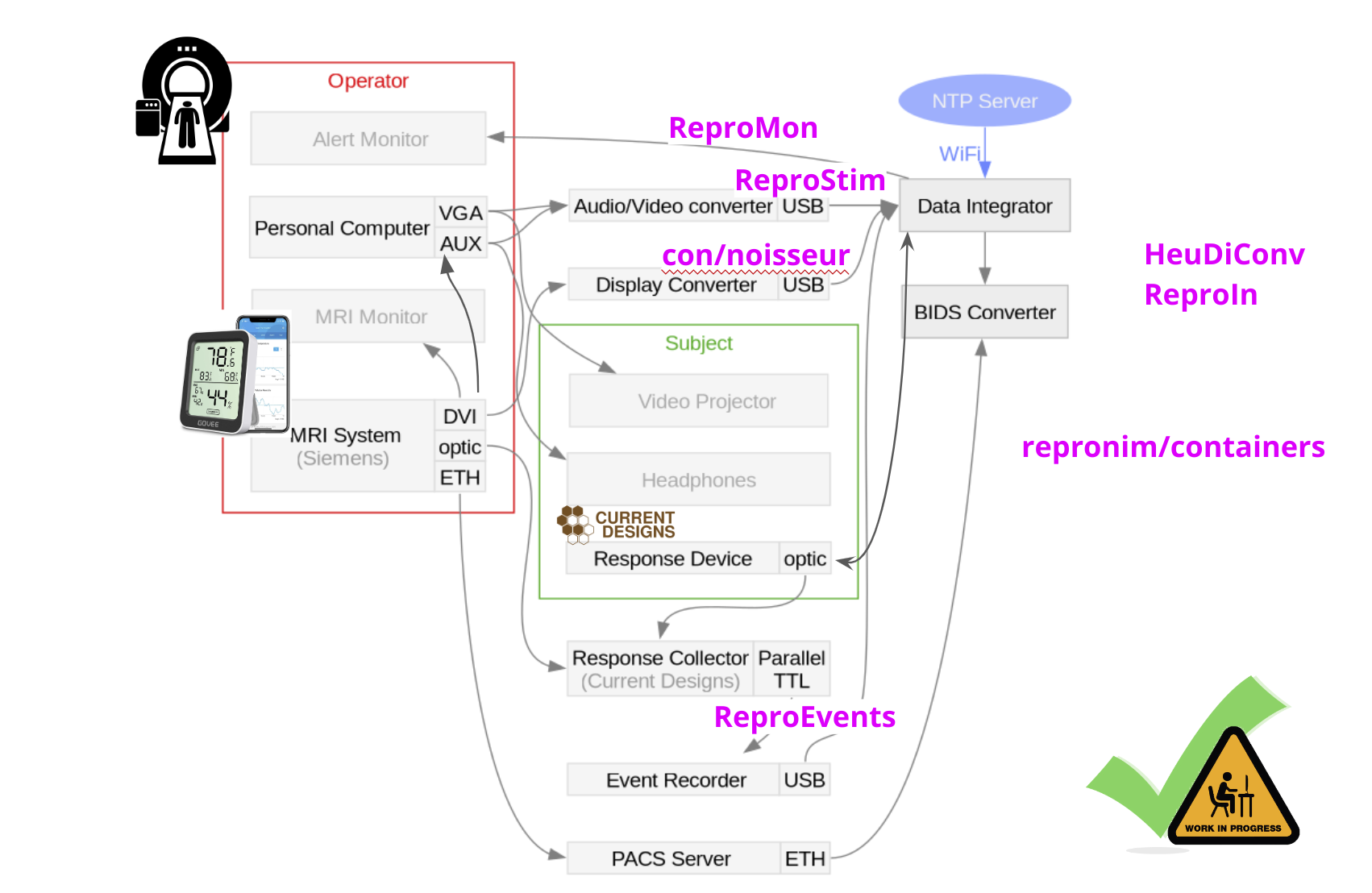 Fig. 1: ReproFlow projects, automate collection of all related metadata (audio/video stimuli, events)
Deployment
Hardware
Before using ReproStim you will need a minimum of the following components:
Magewell USB Capture Plus device
MWCStimulus control computer
SCwith A/V out to presentation deviceExternal presentation device
EPDVideo capture computer
VCwith USB-C portSupporting cables including
A/Vsplitter cables
Simple setup schematic
Given a stimulus presentation computer SC that controls the content and
flow of the experimental presentation and presents A/V to experimental
subject on external monitor or projector EPD, the setup without ReproStim
would be something like:
1. Schematic A.
        graph LR
    SC[SC] -- A/V Out --> EPD[EPD]
With the addition of ReproStim, the setup will look like this:
2. Schematic B.
        graph LR
    SC[SC] -- A/V Out --> AVS[A/V Splitter]
    AVS --> EPD[EPD]
    AVS --> MWC[MWC]
    MWC -- USB-C --> VC[VC]
Original set up without ReproStim
Most experimental setups include something like Schematic A, with a stimulus
control computer SC that sends A/V information to the experimental
subject. For example, in the Dartmouth Brain Imaging Center (DBIC),
experimenters can use their own laptop or a dedicated computer in the scan
control room for SC. The External Presentation Device for video (EPDv) in
the DBIC MRI suite is a projector that projects through the wall of the
shielded scan room to a rear-projection screen located at the back of the
MRI scanner bore; and the EPDa (audio) comprises MRI-safe headphones worn on
the subject’s head.
The A/V out connections from SC can be any standard as long as you have the
appropriate adapters, dongles, etc. However, if your Video out does not
support embedded audio (e.g. VGA), then you will need a separate audio out
set of splitters and cables. The Magewell device has standard audio ports to
accommodate this eventuality.
Note: Missing from Schematics A and B, is any connection back to SC that records subject response information. That’s because ReproStim is not interested in how the subject responses. If you like, imagine arrows pointing from EPD to a “subject” node, and then more arrows pointing from the subject node to some response input device (RID?) and back to SC for recording… ReproStim will not interfere.
Magewell USB Capture Plus Family device
|
|
|---|---|
USB Capture DVI Plus |
USB Capture HDMI Plus |
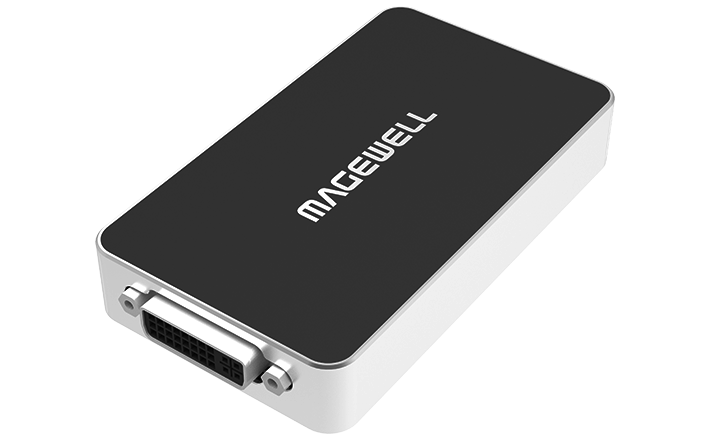
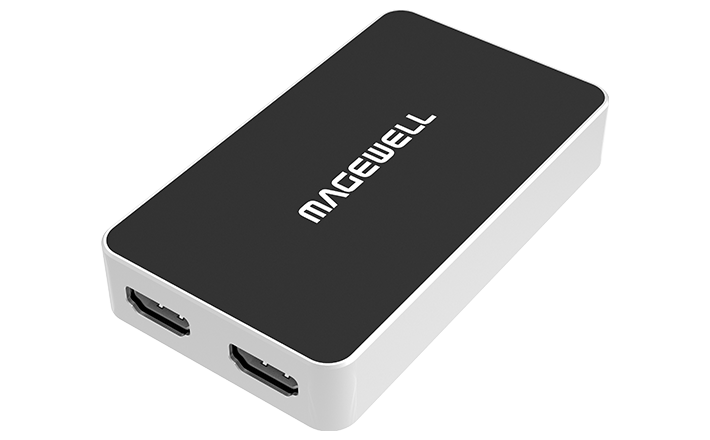
The current version of ReproStim has only been developed and tested for the
Magewell USB Capture devices MWC . Common Magewell devices include the
USB Capture HDMI Plus, USB Capture DVI Plus models. However, we anticipate
that it will be relatively painless to support at least all devices in the USB
Capture Plus Family. Information about these devices and supporting software
can all be found at Magewell
website.
Software
Video Capture computer VC, AKA ReproStim Server
The video capture computer VC does most of the work for ReproStim. The
software running on this computer runs as a service that is always on as
long as the computer is running, which is all the time. Therefore, I will
refer to VC also as the ReproStim server. In a nutshell, the server software
monitors the video signal coming from SC into MWC. If there is any video
coming over the connection, it gets recorded for posterity.
Current development of ReproStim, including our working setup at the DBIC,
uses a Linux box running Debian Linux. We anticipate that any Nix/Mac setup
running on a modern desktop will be amply sufficient as a ReproStim Server,
and should be relatively painless to configure. But reprostim-videocapture
utility is currently only available for Linux and not supported on Mac.
The current DBIC computer is a small-profile desktop that resides in the control of the scan suite, quietly recording all video presented to all subjects.
ReproFlow Time Synchronization
As shown above on ReproFlow diagram Fig. 1, many devices and computers
are used in this workflow. Each system like MRI, Birch, ReproEvents,
video recorded by MWC, ReproIn server etc. has its own clock, and the clocks
are not synchronized. This is a problem for reproducibility, and strict
data matching. ReproStim provides some tools and APIs to help with this
problem.
We do calibration of the clocks monthly and store results in the reproflow-data-sync project. By now this is manual process, but we are working on automating it, so that the time synchronization is done automatically, and the results are stored in the same dataset.
The timesync-stimuli command is used to generate test A/V output
with embedded timecodes (QR and audiocode).
Also qr-parse command is used to parse the QR/audio codes from the video
recordings and convert it to JSONL format.
reproflow-data-sync/code
project provides tools to match clocks between different devices/swimlanes
like DICOMs, Birch, ReproEvents, PsychoPy, QR/audio codes etc.
As result global tmap table is populated with time offsets between
different devices. This table is used to match the time of events
between different devices with repronim_timing API. Probably some of
this code with time will be migrated/moved to ReproStim project.
Appendix
A: ReproNim/ ReproFlow (Webinar, Jun 2024)
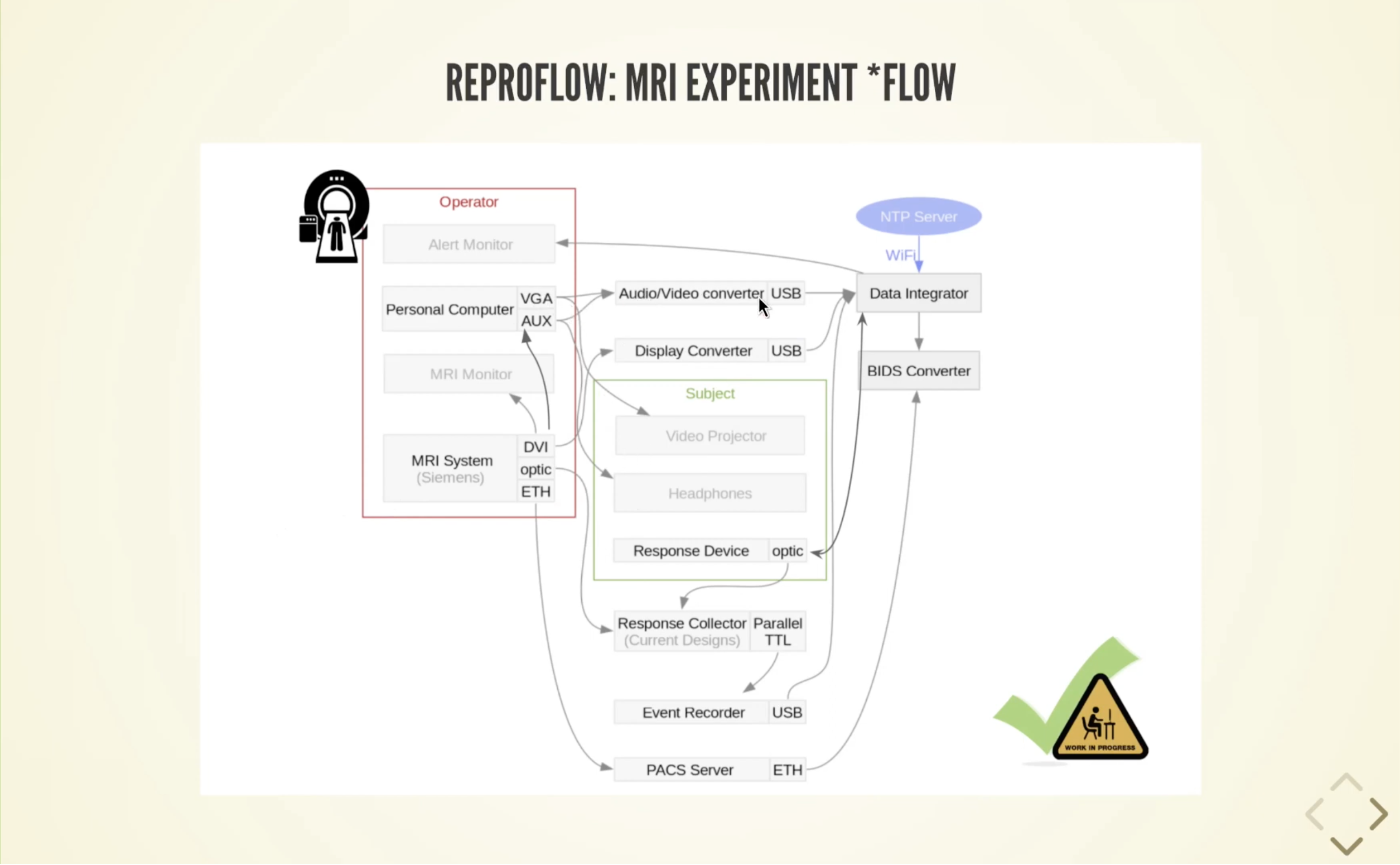 Fig. 2: SciOps from ReproNim/ ReproFlow (Webinar, Jun 2024) Video [31:30]