PsychoPy Integration Notes
Overview
Reprostim package can be used with PsychoPy for creating and running fMRI experiments.
The MRI emulator plugin for PsychoPy provides a way to simulate MRI scanner triggers and
responses, allowing researchers to test and develop their experiments without needing access
to an actual MRI scanner.
For optimal experiment synchronization and data provenance, QR codes should be displayed at specific time points during your fMRI experiments:
At the start of the fMRI session ( marking the beginning of the entire scanning session with
EventType.SESSION_START)Right after receiving the initial MRI trigger for the sequence ( marking the start of data acquisition with
EventType.SERIES_START)Right after receiving each subsequent MRI trigger ( marking each volume acquisition with
EventType.MRI_TRIGGER_RECEIVED)At the end of each functional run (marking the completion of the scan with
EventType.SERIES_END)At the end of the fMRI session (marking the end of the entire scanning session with
EventType.SESSION_END)
Audio cues should be embedded alongside QR codes when conducting
audio-visual experiments. This provides redundant temporal markers that can be
captured both visually (by video recording) and acoustically (by audio recording),
improving synchronization accuracy and providing fallback options if one modality
fails to capture the markers properly. To enable audio codes,
set audio_enabled=True in your QrConfig (see example 04_fmri_audiocode.py below).
Examples
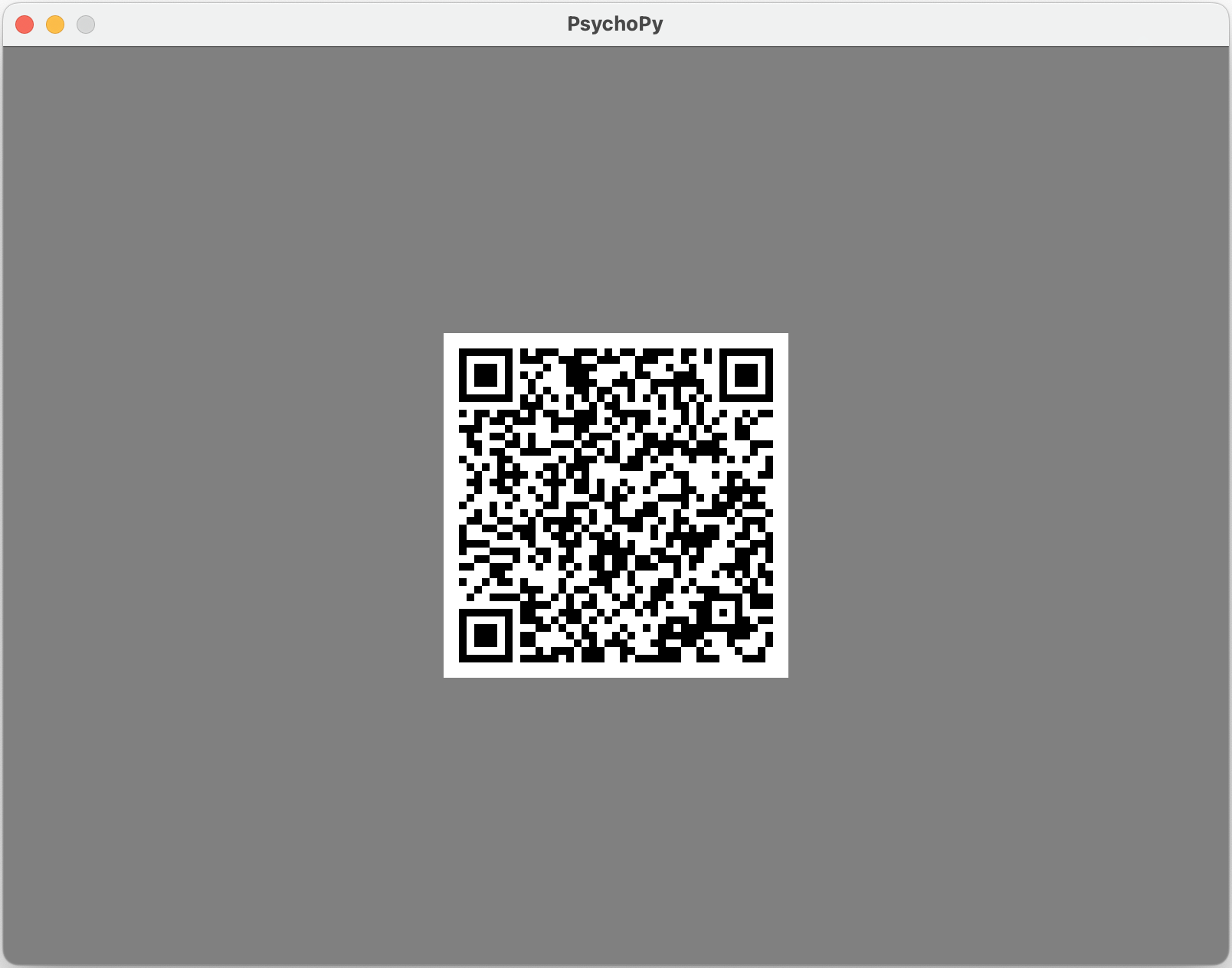
We created a simple PsychoPy example script
01_fmri_interval.py that
demonstrates how to use reprostim package and inject simple session start QR code
into experiment presentation:
from psychopy import core, event, logging, visual
from reprostim.qr.psychopy import EventType, QrCode, QrStim

# Create a window
win = visual.Window([800, 600], units="pix", fullscr=False)

# Display a QR code indicating the start of the session
qr = QrStim(win, QrCode(EventType.SESSION_START))
qr.draw()
win.flip()
# wait for its duration
qr.wait()
win.flip()

core.wait(2)
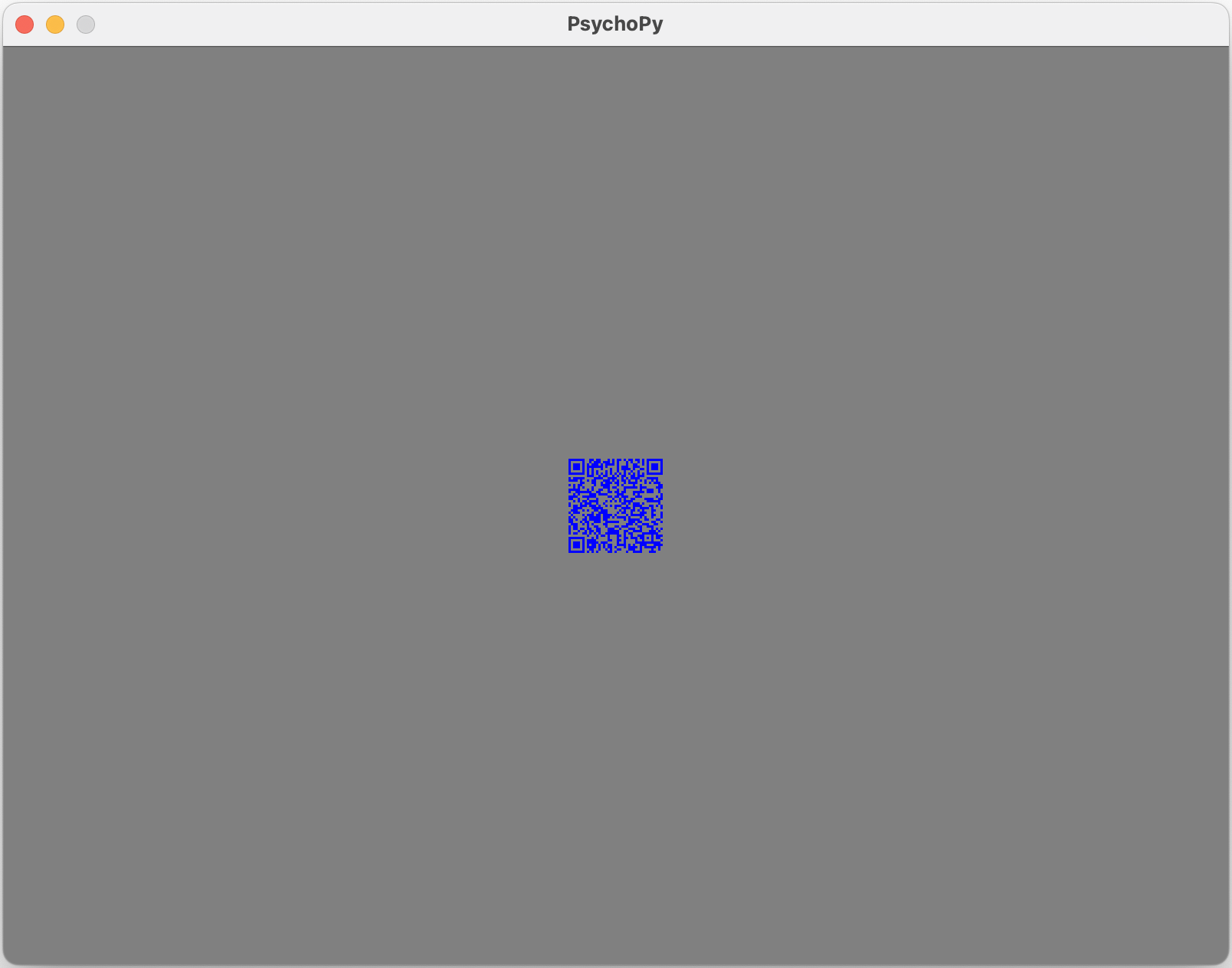
Example 02_fmri_series.py demonstrates how to use QR code with custom configuration, where QR background is transparent, QR code color is blue and QR size is scaled to be 30% of the original one:
from psychopy import core, event, logging, visual
from reprostim.qr.psychopy import EventType, QrCode, QrConfig, QrStim

# Create a window
win = visual.Window([800, 600], units="pix", fullscr=False)

# Optionally specify a QR code config
qr_config = QrConfig(
    scale=0.3,
    duration=1.0,
    fill_color="blue",
    back_color="transparent",
)

# Display a QR code indicating the start of the session
qr = QrStim(win, QrCode(EventType.SESSION_START), qr_config)
qr.draw()
win.flip()
qr.wait()
win.flip()
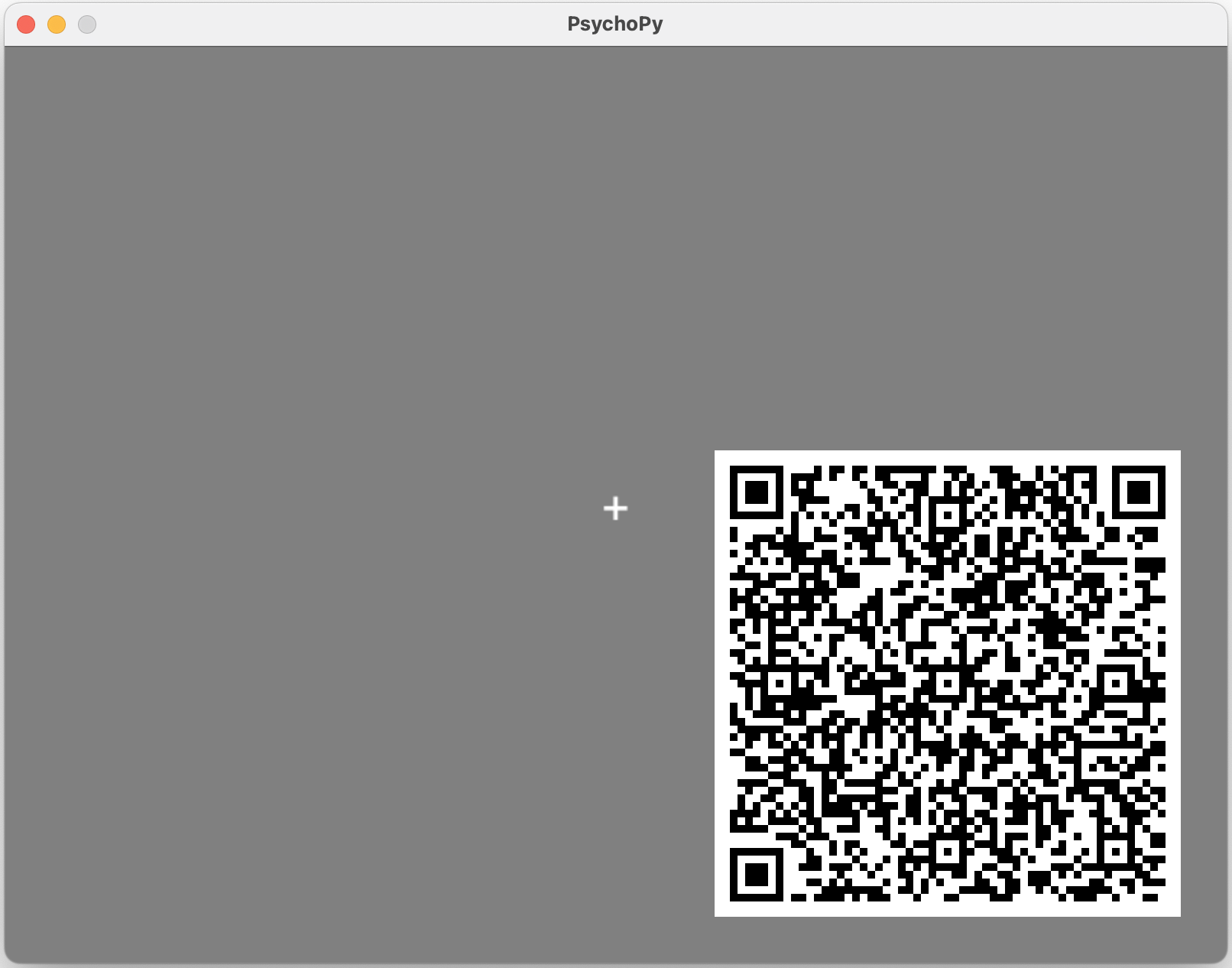
In addition, 03_fmri_event.py demonstrates how to use QR code in response to the fMRI scanner trigger/pulse event:
from psychopy import core, event, logging, visual
from psychopy_mri_emulator import launchScan
from reprostim.qr.psychopy import EventType, QrCode, QrConfig, QrStim

def show_qr(event, win, fix, qr_config, **kwargs):
    # draw a QR code with given parameters
    qr = QrStim(win, QrCode(event, **kwargs), qr_config)
    fix.draw()
    qr.draw()
    win.flip()
    # wait for its duration
    qr.wait()

    # restore fixation cross
    fix.draw()
    win.flip()

# Create a window and fixation cross
win = visual.Window([800, 600], units="pix", fullscr=False)
fix = visual.TextStim(win, text="+", pos=(0, 0))
fix.draw()
win.flip()


# Custom QR code config
qr_config = QrConfig(
    padding=30,
    align="right-bottom",
)

# show QR code on pulse received
show_qr(EventType.MRI_TRIGGER_RECEIVED, win, fix, qr_config, seq=seq, keys=keys)
Audio codes functionality is disabled by default in PsychoPy QrStim API, but it can be optionally turned on like in the 04_fmri_audiocode.py example below:
from psychopy import core, event, logging, visual
from psychopy_mri_emulator import launchScan
from reprostim.qr.psychopy import EventType, QrCode, QrConfig, QrStim
from reprostim.audio.audiocodes import AudioCodec


def show_qr(event, win, fix, qr_config, **kwargs):
    # draw a QR code with given parameters
    qr = QrStim(win, QrCode(event, **kwargs), qr_config)
    fix.draw()
    qr.draw()
    win.flip()
    # wait for its duration
    qr.wait()

    # restore fixation cross
    fix.draw()
    win.flip()

# Create a window and fixation cross
win = visual.Window([800, 600], units="pix", fullscr=False)
fix = visual.TextStim(win, text="+", pos=(0, 0))
fix.draw()
win.flip()


# Custom QR code config with audio codes enabled
qr_config = QrConfig(
    audio_enabled=True,
    audio_codec=AudioCodec.NFE,
    audio_volume=0.61,
    audio_data_field="seq",
    audio_sample_rate=44100,
    scale=0.5,
    padding=30,
    align="right-bottom",
)

# show QR code on pulse received
show_qr(EventType.MRI_TRIGGER_RECEIVED, win, fix, qr_config, seq=seq, keys=keys)
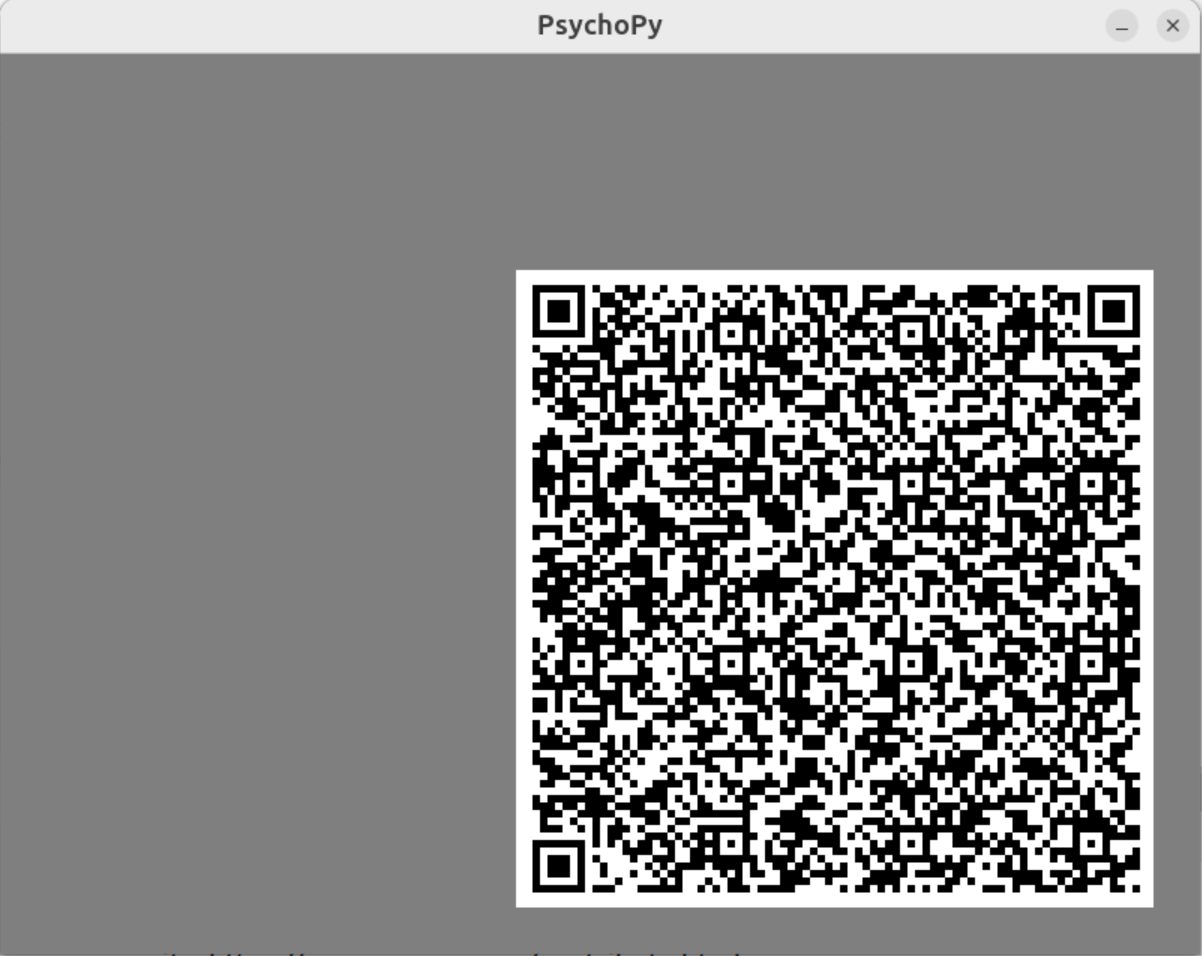
Installation
On Linux used reprostim dev venv and hatch with PsychoPy v2024.2.5:
hatch run psychopy
To install MRI emulator plugin, you can install it via PsychoPy Coder GUI:
In PsychoPy Coder select “Tools” -> “Plugin/packages manager…” -> “MRI emulator” -> “Install” and then restart PsychoPy.
or install it manually:
pip install psychopy-mri-emulator
Appendix
A: Environments tested
Env[1]
Ubuntu 24.04.2 LTS PsychoPy v2024.2.4 Problem:
Welcome to PsychoPy3!
v2024.2.4
## Running: /home/vmelnik/Projects/Dartmouth/branches/reprostim/tools/psychopy/01_fmri_interval.py ##
pygame 2.6.1 (SDL 2.28.4, Python 3.10.18)
Hello from the pygame community. https://www.pygame.org/contribute.html
Traceback (most recent call last):
9.0616     WARNING     Monitor specification not found. Creating a temporary one...
  File "/home/vmelnik/Projects/Dartmouth/branches/reprostim/tools/psychopy/01_fmri_interval.py", line 7, in <module>
    win = visual.Window([800, 600], fullscr=False)
  File "/home/vmelnik/Projects/Dartmouth/branches/reprostim/venv/lib/python3.10/site-packages/psychopy/visual/window.py", line 480, in __init__
    self.backend = backends.getBackend(win=self, backendConf=backendConf)
  File "/home/vmelnik/Projects/Dartmouth/branches/reprostim/venv/lib/python3.10/site-packages/psychopy/visual/backends/__init__.py", line 48, in getBackend
    Backend = plugins.resolveObjectFromName(useBackend, __name__)
  File "/home/vmelnik/Projects/Dartmouth/branches/reprostim/venv/lib/python3.10/site-packages/psychopy/plugins/__init__.py", line 202, in resolveObjectFromName
    importlib.import_module(path)
  File "/usr/lib/python3.10/importlib/__init__.py", line 126, in import_module
    return _bootstrap._gcd_import(name[level:], package, level)
  File "<frozen importlib._bootstrap>", line 1050, in _gcd_import
  File "<frozen importlib._bootstrap>", line 1027, in _find_and_load
  File "<frozen importlib._bootstrap>", line 1006, in _find_and_load_unlocked
  File "<frozen importlib._bootstrap>", line 688, in _load_unlocked
  File "<frozen importlib._bootstrap_external>", line 883, in exec_module
  File "<frozen importlib._bootstrap>", line 241, in _call_with_frames_removed
  File "/home/vmelnik/Projects/Dartmouth/branches/reprostim/venv/lib/python3.10/site-packages/psychopy/visual/backends/pygletbackend.py", line 44, in <module>
    if pyglet.version < '1.4':
AttributeError: module 'pyglet' has no attribute 'version'
Exception ignored in: <function Window.__del__ at 0x779800419120>
Traceback (most recent call last):
  File "/home/vmelnik/Projects/Dartmouth/branches/reprostim/venv/lib/python3.10/site-packages/psychopy/visual/window.py", line 665, in __del__
    self.close()
  File "/home/vmelnik/Projects/Dartmouth/branches/reprostim/venv/lib/python3.10/site-packages/psychopy/visual/window.py", line 2657, in close
    self.backend.close()  # moved here, dereferencing the window prevents
AttributeError: 'NoneType' object has no attribute 'close'
################# Experiment ended with exit code 1 [pid:6335] #################
Env[2]
Ubuntu 24.04.2 LTS
PsychoPy v2024.2.5
Works fine under hatch run psychopy
Env[3]
MacOS 12.7.6 PsychoPy v2024.2.5
In case of standalone PsychoPy e.g. on MacOS, you can install the package via
OBJC_DISABLE_INITIALIZE_FORK_SAFETY=YES open -a PsychoPy
Open PsychoPy coder.
Go to the Tools menu → Plugin/packages manager…
In the dialog, type: psychopy-mri-emulator
Failed with error:
Welcome to PsychoPy3!
v2024.2.5
87.6741     INFO     Investigating repo at /Users/vmelnik/Projects/Dartmouth/branches/reprostim
87.7475     WARNING     We found a repository at /Users/vmelnik/Projects/Dartmouth/branches/reprostim but it doesn't point to gitlab.pavlovia.org. You could create that as a remote to sync from PsychoPy.
## Running: /Users/vmelnik/Projects/Dartmouth/branches/reprostim/tools/psychopy/01_fmri_interval.py ##
2025-09-04 17:02:35.163 python[56653:2052484] *** Terminating app due to uncaught exception 'NSInternalInconsistencyException', reason: 'nextEventMatchingMask should only be called from the Main Thread!'
*** First throw call stack:
(
    0   CoreFoundation                      0x00007ff814afa6e3 __exceptionPreprocess + 242
    1   libobjc.A.dylib                     0x00007ff81485a8bb objc_exception_throw + 48
    2   AppKit                              0x00007ff8174bae0d -[NSApplication(NSEvent) _nextEventMatchingEventMask:untilDate:inMode:dequeue:] + 4633
    3   libpython3.10.dylib                 0x00000001051c6782 ffi_call_unix64 + 82
    4   ???                                 0x000070000a15b010 0x0 + 123145471504400
)
libc++abi: terminating with uncaught exception of type NSException
################ Experiment ended with exit code -6 [pid:56653] ################